
Adding Tags in Bulk (via Actions)
Adding tags to a Group or Client is achieved by the "Update Tags" action available against Groups and Clients.
To add a tag
- Go to the relevant View (Group or Client)
- Select the rows you wish to add the Tag to (or leave blank for all in the view)
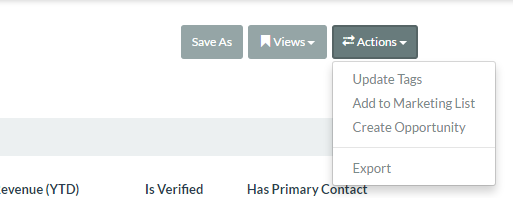
- via the Actions button select "Update Tags"
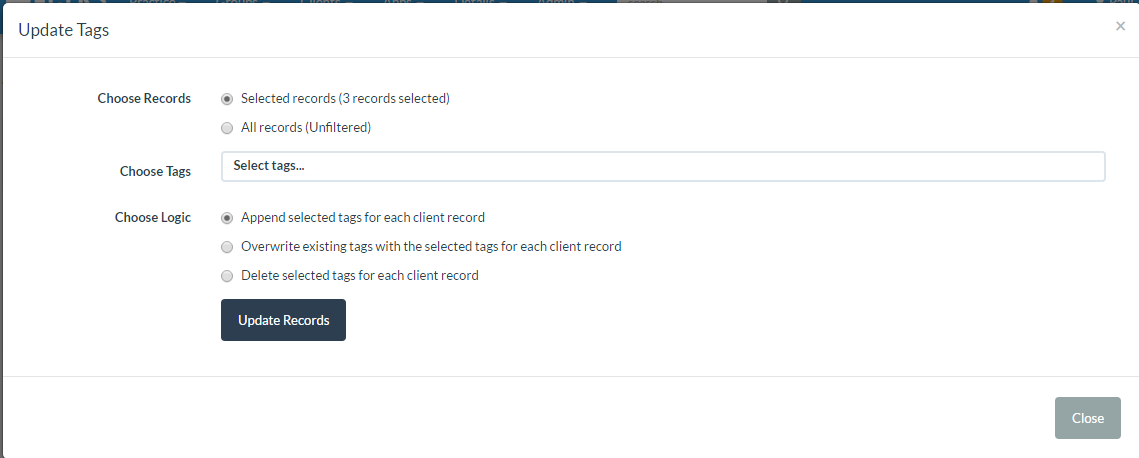
- Confirm if just applying to selected or "All" records
- Choose the relevant tags you wish to Add
- Choose the "Append selected tags for each client record"
Add Tags in Bulk
No Audio.

Comments
Article is closed for comments.